

How to Use.
Learn how to unlock the full potential of VInhance in just a few simple steps.
Installation
Get started by adding VInhance to your browser. It works seamlessly on Chrome, Brave, Edge, and other Chromium browsers.
Install from Chrome Web StoreLog in to VTOP
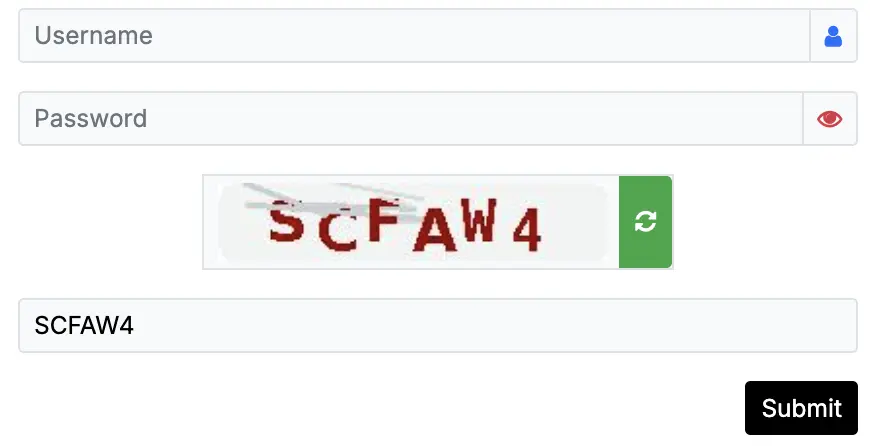
Navigate to your campus VTOP portal. VInhance automatically solves and fills the captcha for you instantly.
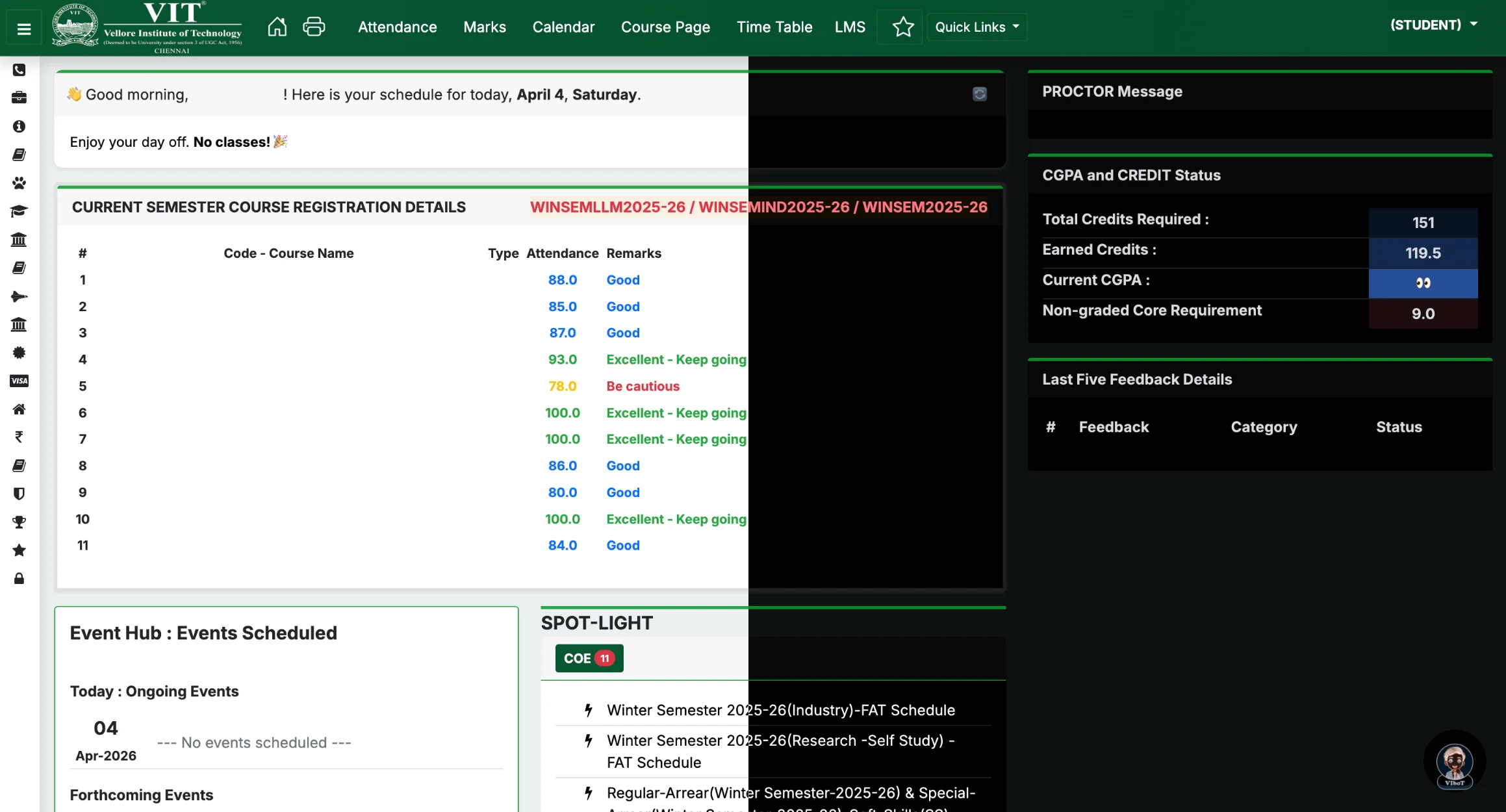
Refined Dashboard & Smart Schedule
Experience VTOP like never before with a clean, modern layout and refined typography. Enjoy a completely overhauled live dashboard schedule widget featuring dynamic time-left tags and intelligent holiday awareness.
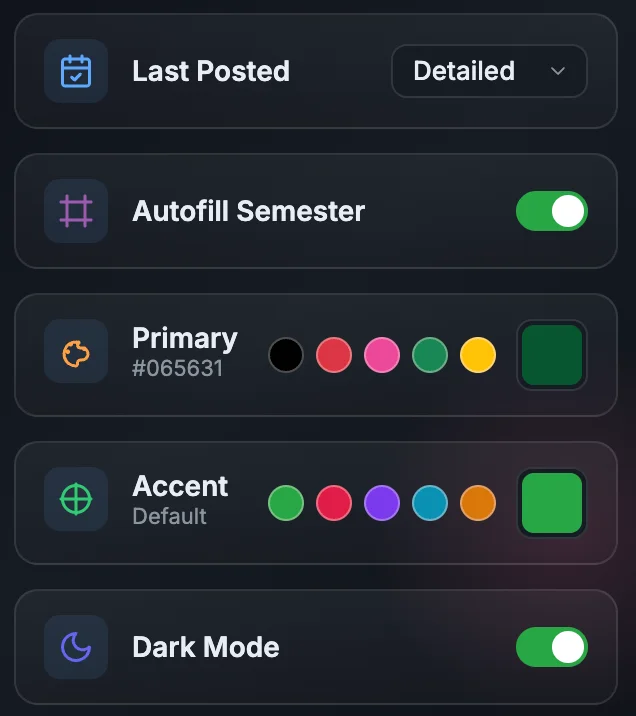
Customization & Auto-Semester
Use the VInhance popup to toggle universal Dark Mode (Beta) across VTOP and LMS, personalize the portal with your favorite accent colors, and enable zero-click automatic active semester detection.
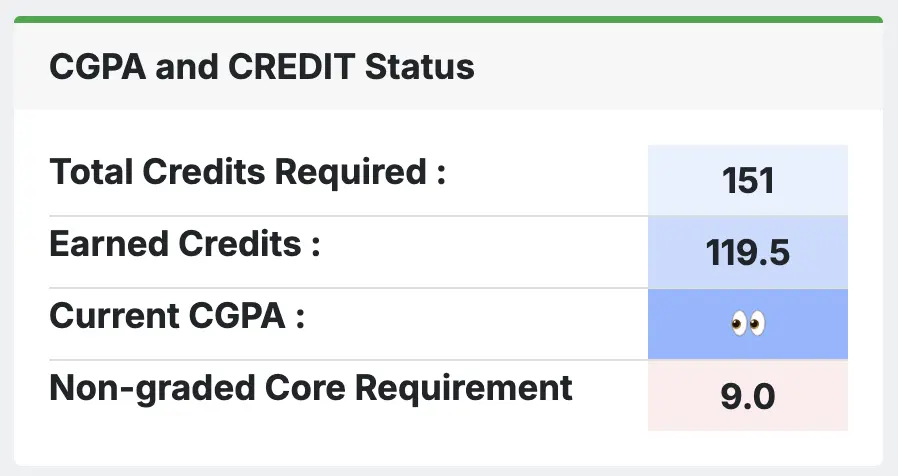
Privacy Protection
Toggle privacy mode to instantly hide your CGPA, grades, and profile details while browsing in public places.
Smart Attendance
Access enhanced attendance views with skip potential, future projections, and your last 3 classes status. Includes Compact/Detailed toggle and Last Posted date.
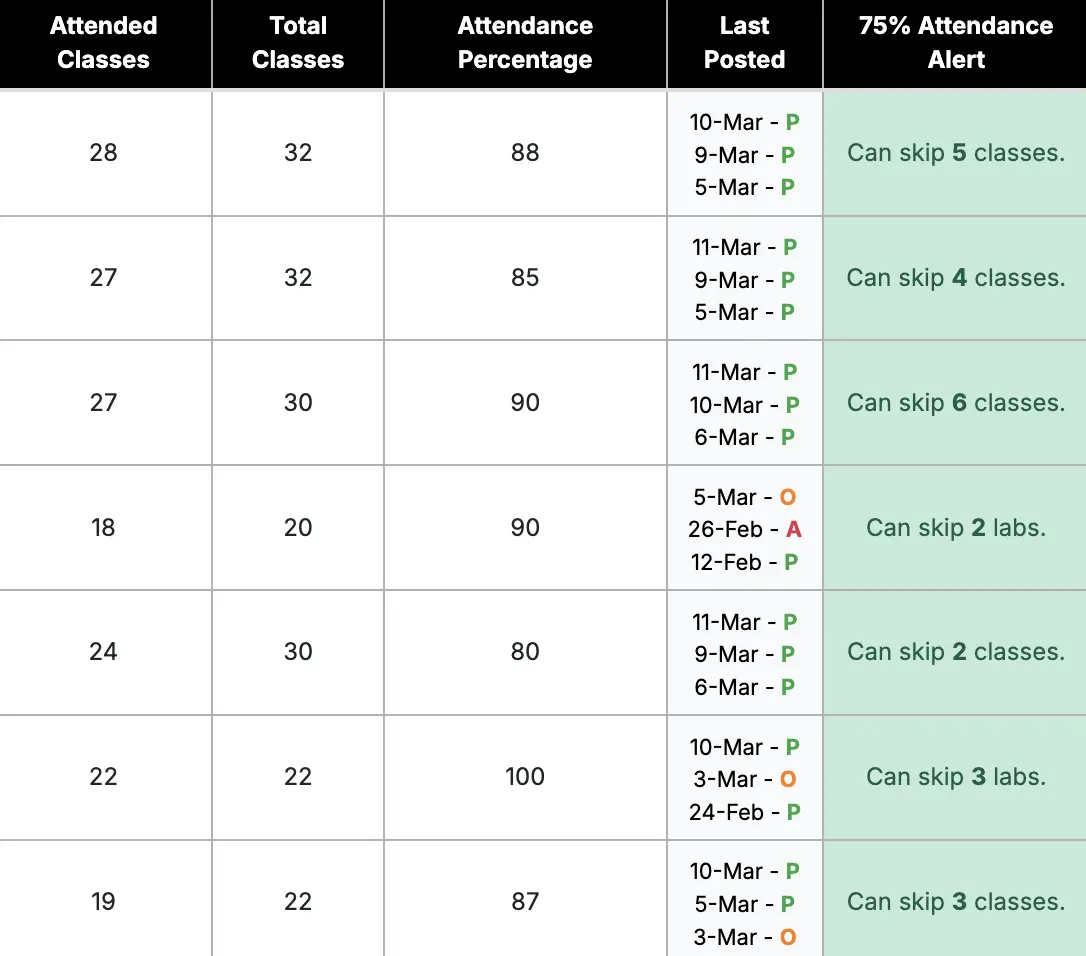
Attendance Insights
Get a high-level overview of your entire semester's attendance performance and plan your leaves effectively.
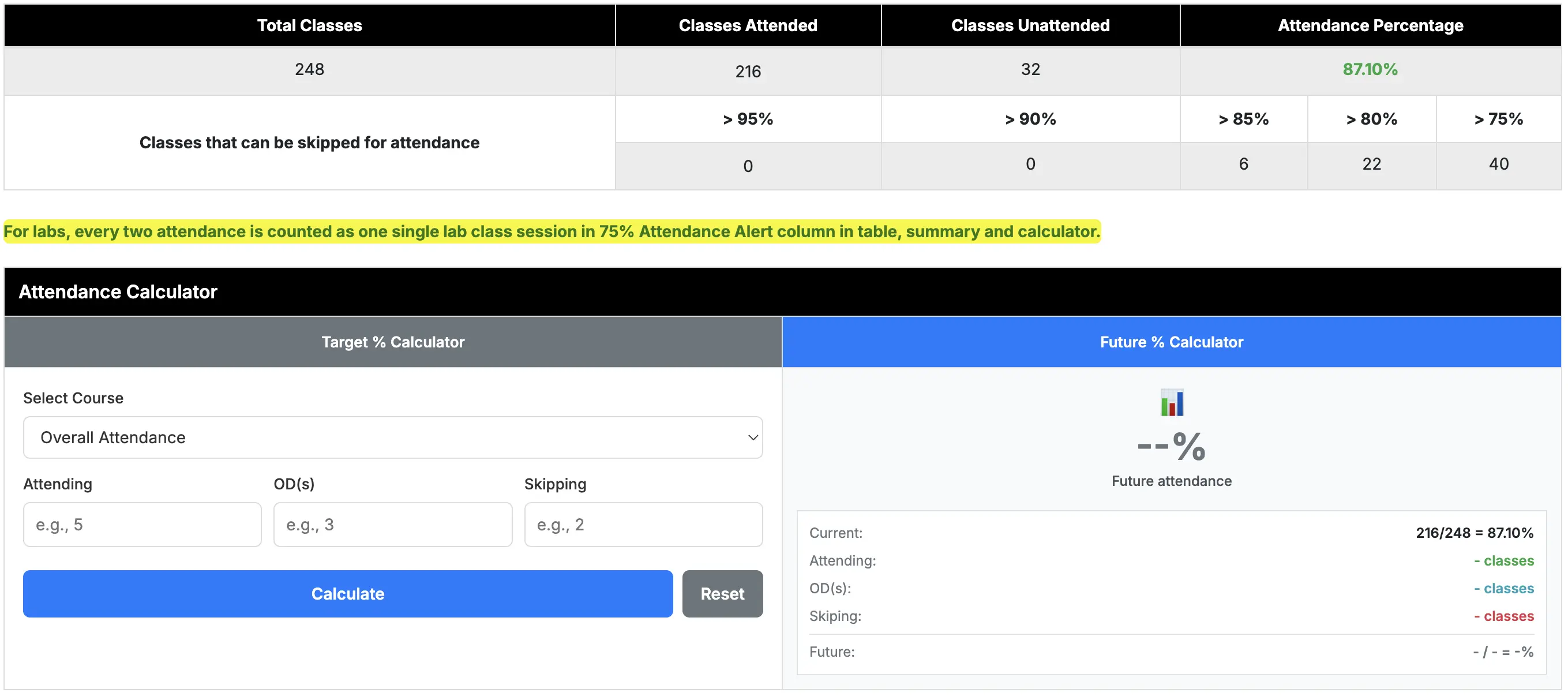
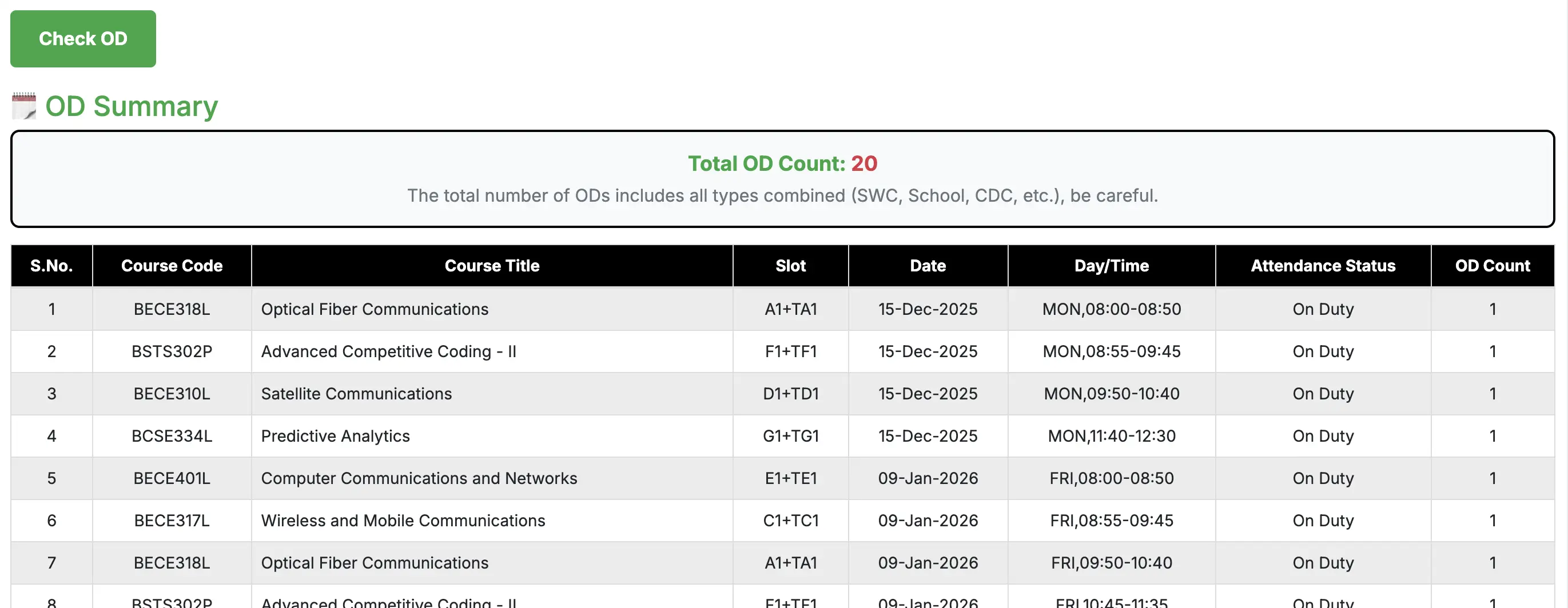
OD Summary
Track your Theory vs Lab ODs with smart counting logic and see exactly how many you have used.
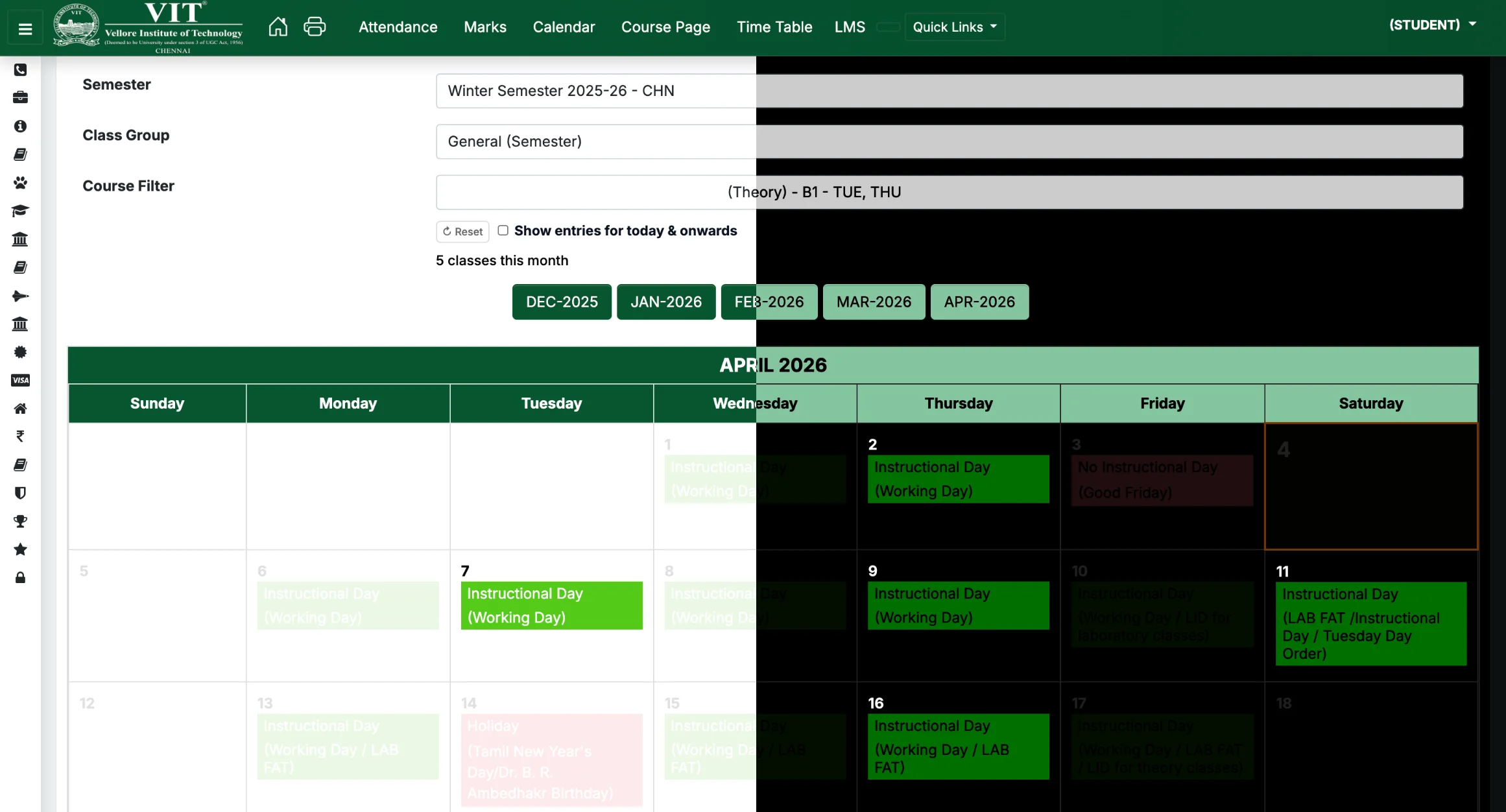
Calendar
Color-coded events and highlights today's date for quick schedule reference.
Exam Schedule Tools
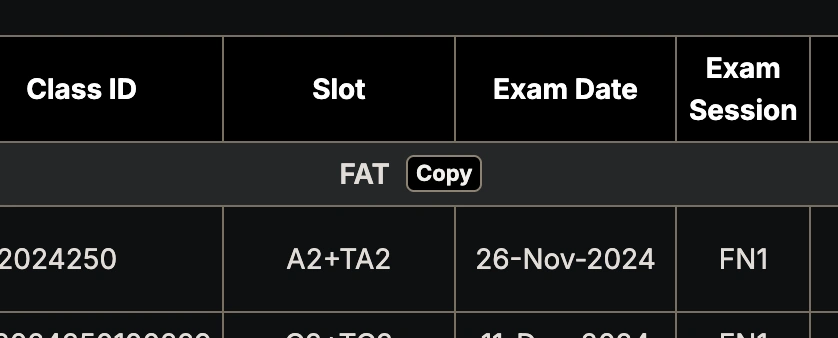
Quickly copy your exam schedules. VInhance provides a one-click copy button that formats your schedule into a clean, sorted, and shareable text format.
Marks Analysis
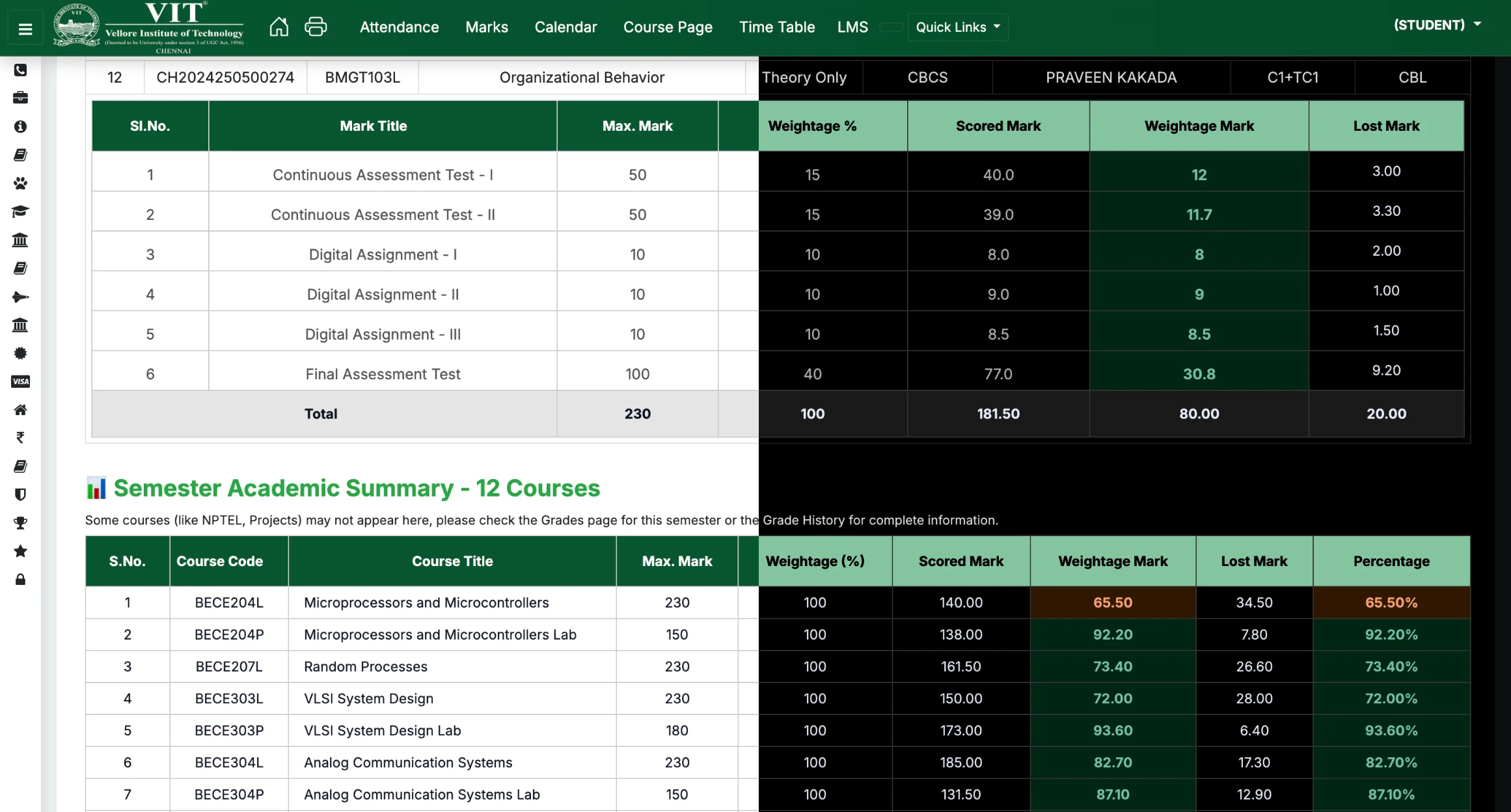
Analyze course weightage and calculate marks needed in FAT to reach your target grade based on current components.
Smart Grade Highlighting
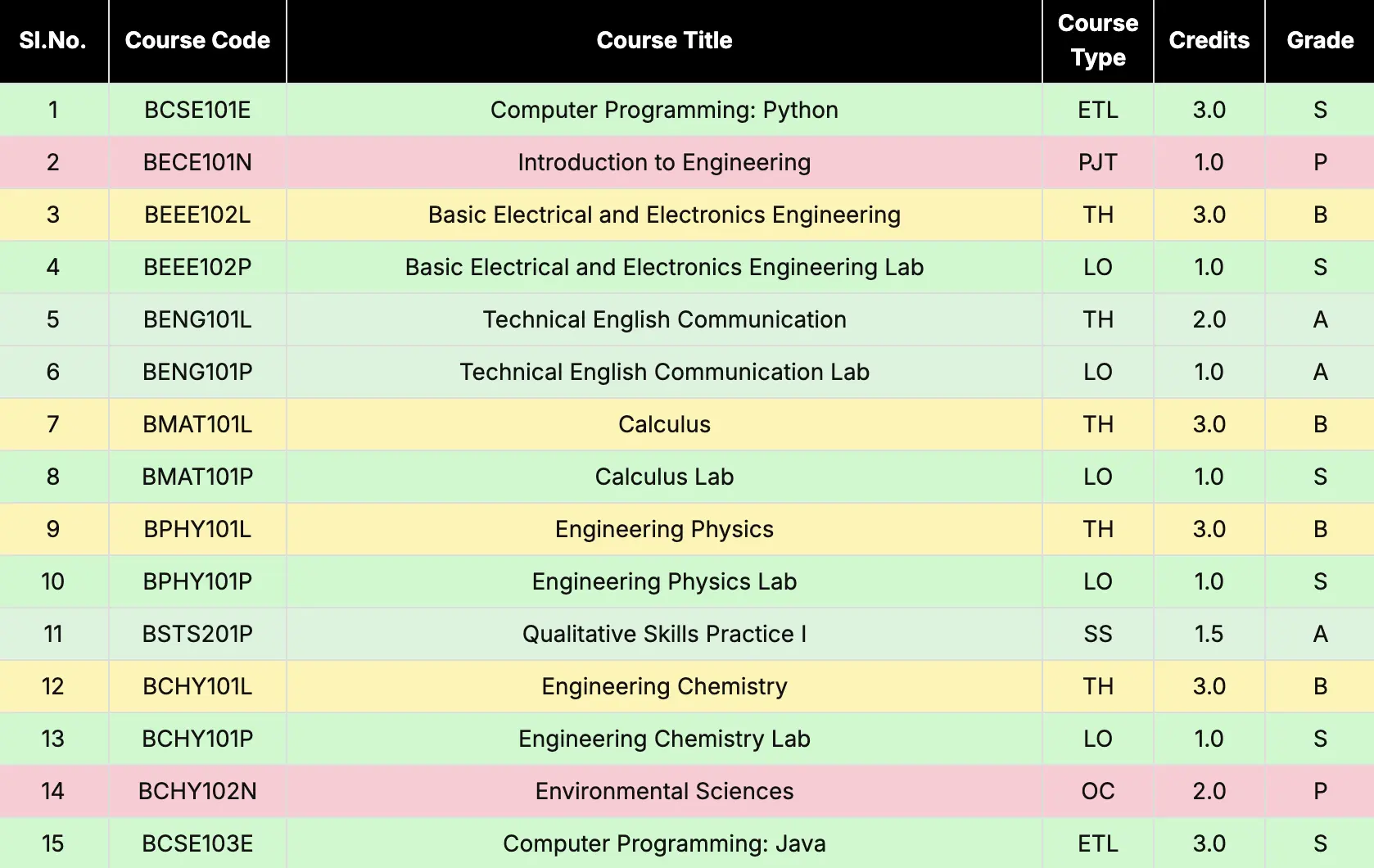
Grade History is automatically color-coded with high-contrast themes for N1-N4 and other grades for instant recognition.
Grade Improvement Estimator
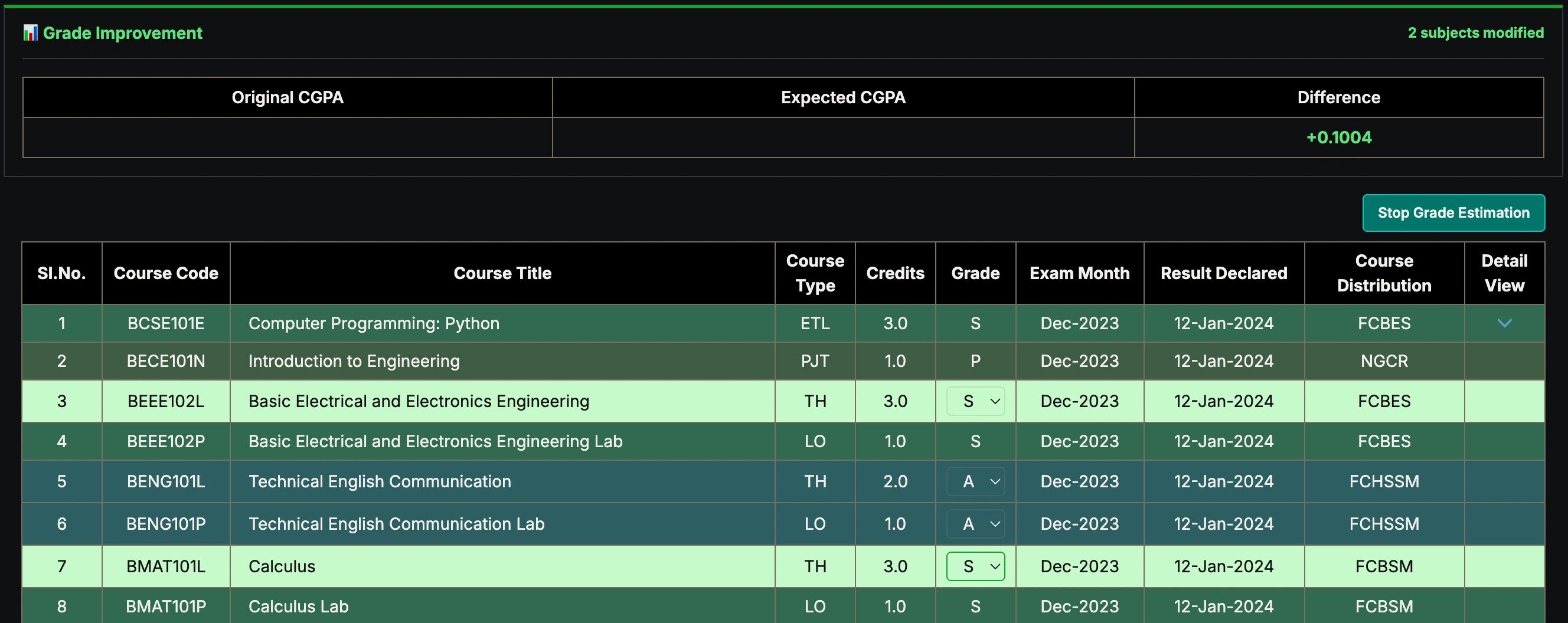
Effortlessly estimate CGPA improvements by swapping past grades with hypothetical ones. This interactive tool helps you plan your academic goals by showing live projections of your CGPA.
Smart Curriculum Tracking
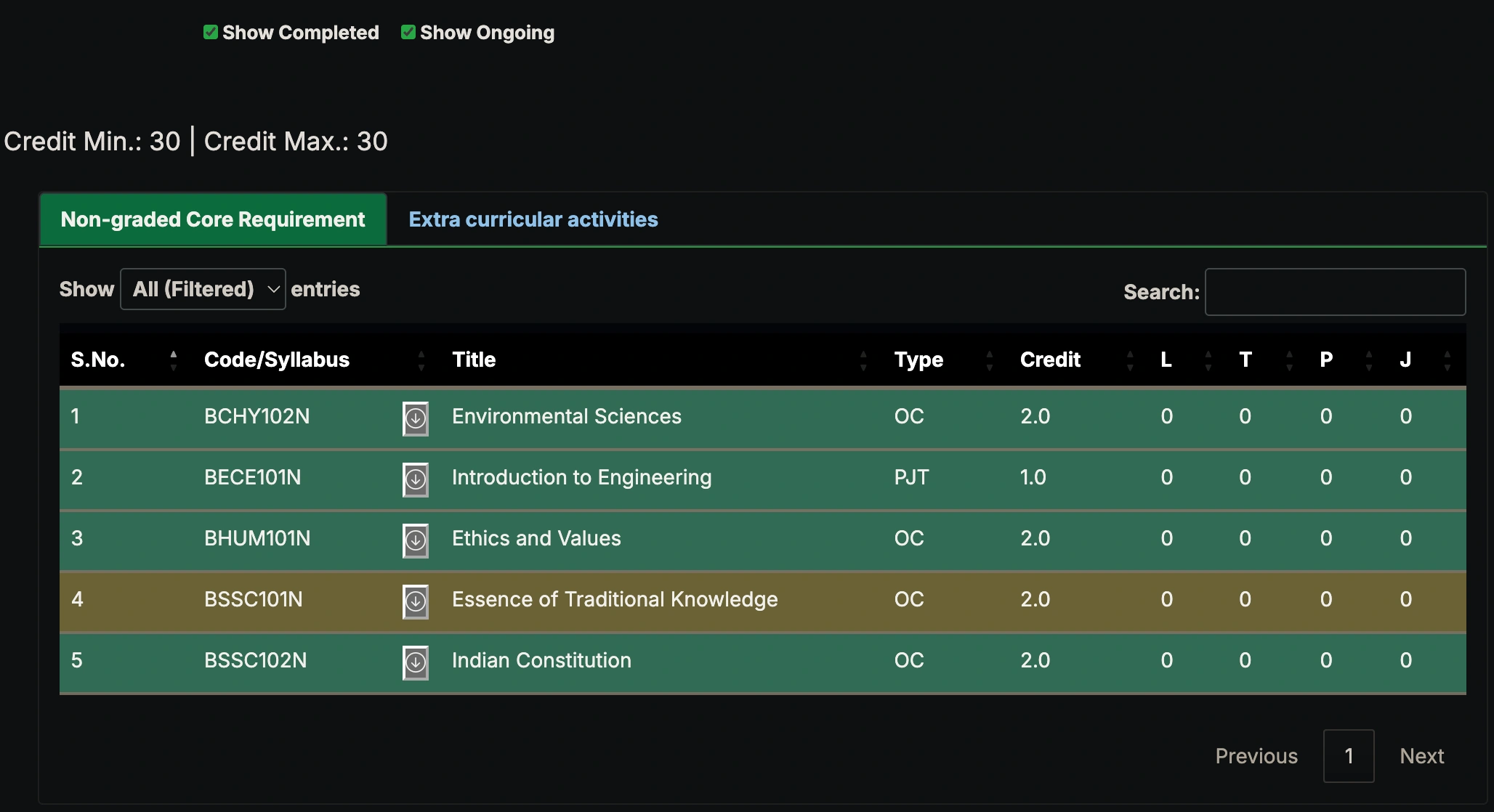
Visualize your degree progress with live course highlighting. Green markers indicate completed courses, while yellow highlights show ongoing courses from your current timetable. Includes an "Include This Sem" toggle for a complete projection.
Credits Completion Tracking
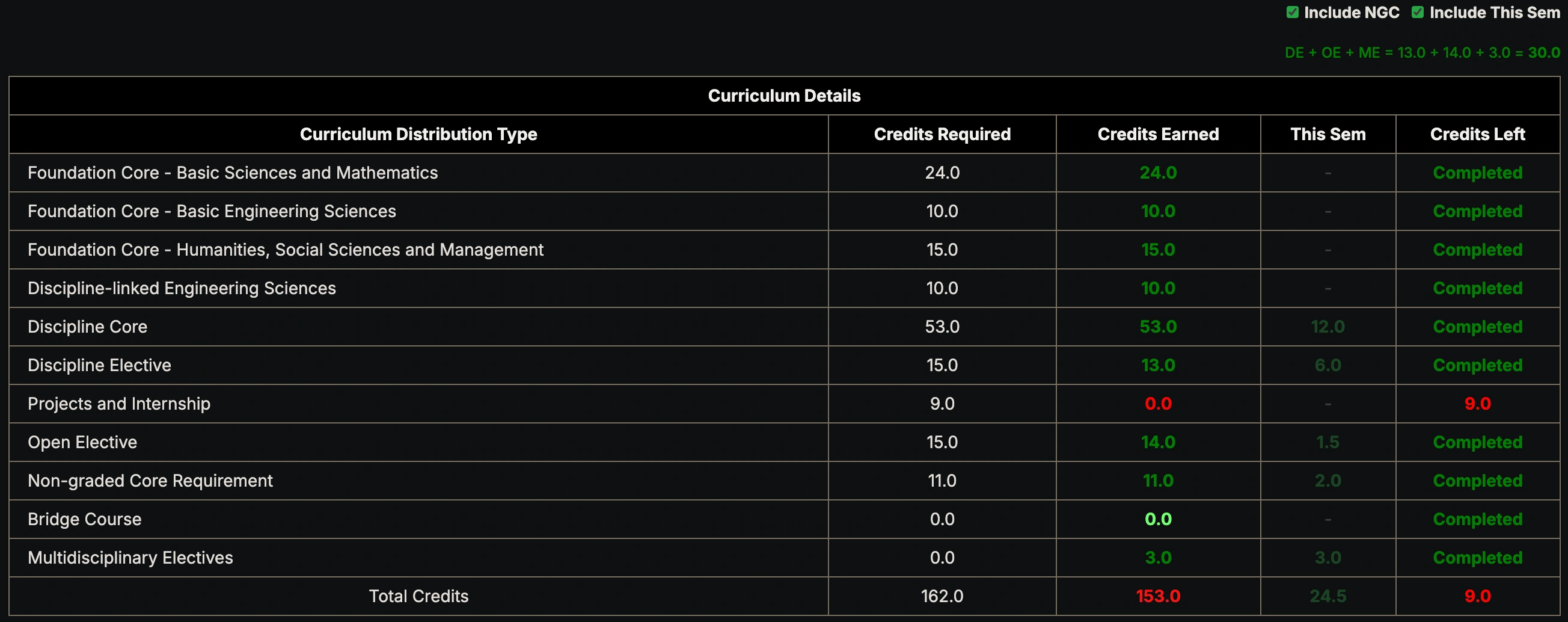
Keep track of your academic progress with a visual summary of required vs. earned credits. Monitor your progression status through a clean, color-coded interface on the Curriculum page.
Hostel Dashboard (Chennai Campus)
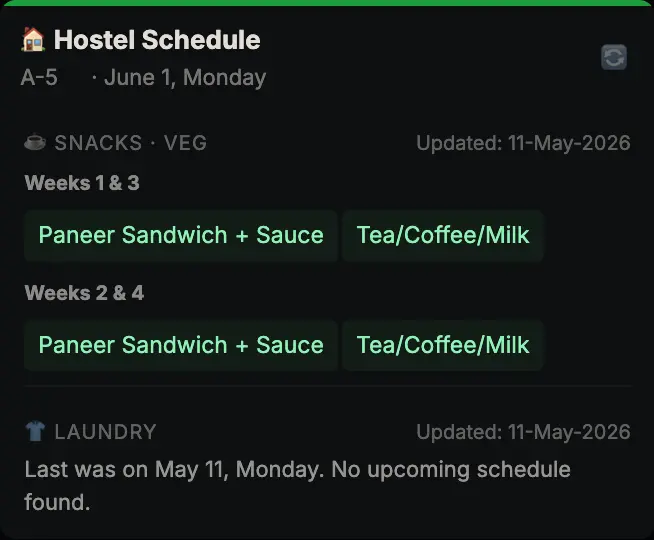
Get information about mess menu and laundary schedule at a glance right on the home page.
Need more help?
If you encounter any issues or have questions about specific features, feel free to reach out.